Establishing CAS Password
- ATTENTION –
If you already have a CERIS CAS user account you DO NOT need a separate Login for each system

- Go to the CERIS system you are wanting to log into and establish your login credentials
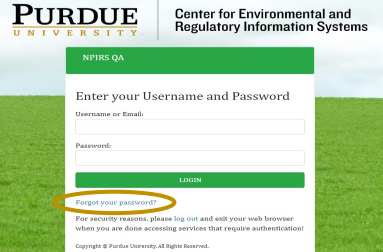
- Select “Login”
- Select “Forgot your password”
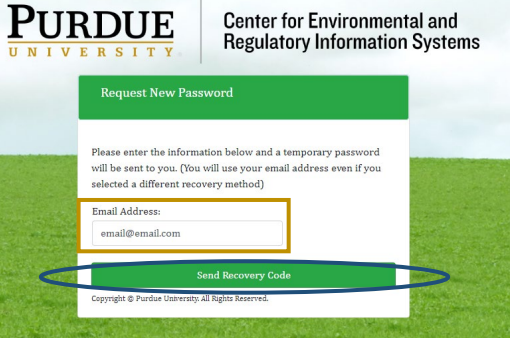
- Enter email associated with the user account and select “Send Recovery Code”
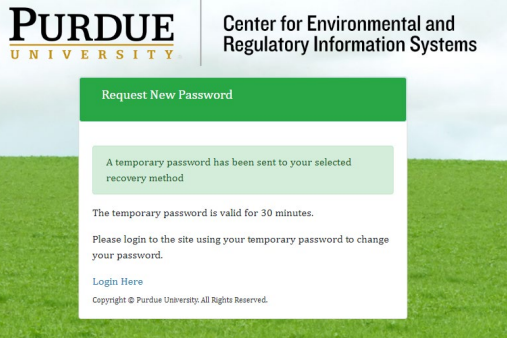
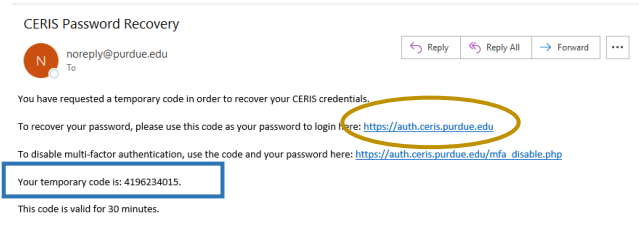
- Check your email for the recovery code
- Click on the TOP link provided in the email
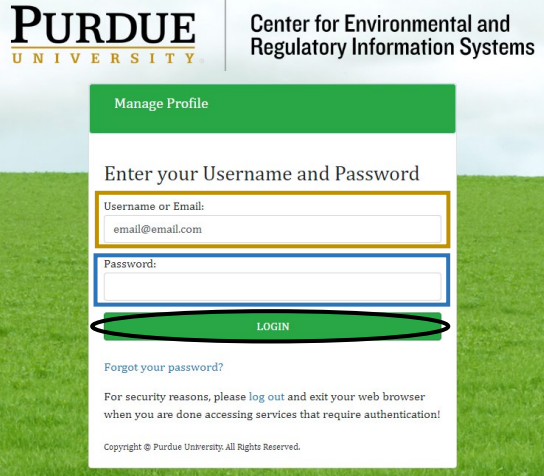
- Once the link has been selected the following screen should appear:
- Enter email associated with the user account
- Enter the temporary code provided in the email in the password space
- PLEASE NOTE- The code is only valid for 30 minutes.
- Select Login
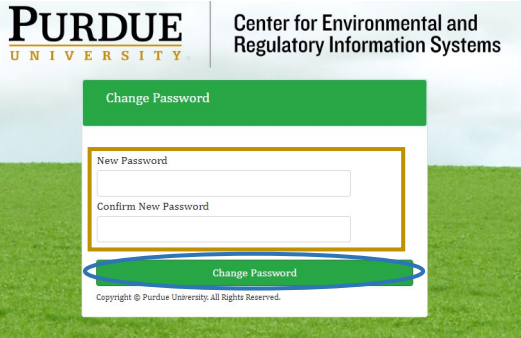
- Identify your user account password
- In the spaces provided enter your selected password
- Select Change Password
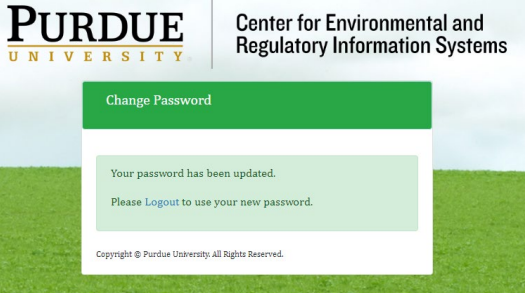
- Once the following screen appears your password for the CAS system has been set
- Select the Logout link
- Return to the initial CERIS system you are logging into and use your Login Credentials to gain access to the respective system(s).